
ZealousWeb
AI automation use cases

Use Cases: How Agencies & SaaS Companies Use AI and Automation to Improve Operations

March 13, 2026Posted By: Jalpa Gajjar
AI AutomationAI OperationsBusiness Process AutomationWorkflow Automation

Modern businesses are surrounded by tools that promise efficiency. There are platforms to manage campaigns, systems to track leads, dashboards to analyze performance, and now a growing wave of AI solutions designed to automate almost everything.

Yet the daily reality often tells a different story. Reports are still compiled manually, leads wait too long for follow-ups, and teams spend hours on tasks that add little strategic value. The technology stack keeps expanding, but the workflows behind it remain surprisingly manual.

This is where AI and automation begin to make a real difference. By connecting systems, reducing repetitive work, and turning data into actionable insights, these technologies help organizations streamline operations and improve how everyday work actually gets done.

The Rise Of AI in Workflow Automation

Where AI and Automation Fit in Modern Business Workflows

Most businesses today are not short on tools. What they are short on is time. Marketing teams juggle campaigns across multiple channels, sales teams manage growing lead pipelines, product teams push frequent updates, and support teams handle an endless stream of customer queries. As operations expand, the number of repetitive tasks and data points increases just as quickly, making manual coordination difficult to sustain.

This is where AI and automation begin to play a practical role. Instead of adding another tool to the stack, they help streamline how work flows across different business functions by reducing manual effort and improving decision speed.

Common areas where AI and automation fit naturally into everyday workflows include:

  • Marketing Operations: Automating campaign execution, audience segmentation, and performance reporting
  • Sales Processes: Lead scoring, qualification, and automated follow-up sequences
  • Customer Support: Ticket categorization, response suggestions, and query routing
  • Product and Engineering Workflows: Automated testing, deployment processes, and performance monitoring
  • Data and Reporting: Aggregating data across platforms and generating real-time business insights

When applied within these operational areas, AI and automation help teams move away from manual coordination toward workflows that are faster, more consistent, and easier to scale.

Key Workflow Areas Where AI and Automation Deliver Impact

AI and automation rarely transform an organization overnight. Their real impact becomes visible when they are embedded into everyday operational workflows. Across most digital businesses, certain functions handle large volumes of data, repetitive tasks, and time-sensitive decisions. These are the areas where intelligent systems can significantly reduce manual effort while improving speed and accuracy.

The following workflow areas are where AI and automation are delivering the most noticeable operational improvements.

Marketing and Demand Generation

Marketing teams manage campaigns across multiple channels while continuously analyzing performance data. AI and automation help streamline these activities by assisting with audience targeting, campaign optimization, and automated reporting. This allows teams to focus more on strategy and creative execution rather than manual data compilation.

Sales and Revenue Operations

Sales teams often deal with a high volume of incoming leads, follow-ups, and pipeline management tasks. AI can help prioritize high-intent prospects, while automation ensures leads are routed correctly, and follow-ups happen at the right time. This improves response speed and increases the likelihood of converting qualified opportunities.

Client Delivery and Project Management

Project and delivery teams coordinate tasks across multiple stakeholders, timelines, and deliverables. Automation helps streamline task assignment, workflow tracking, and progress updates. AI-assisted insights can also highlight potential delays or resource constraints, helping teams maintain smoother delivery cycles.

Product Development and Engineering

Product teams operate in fast-paced development environments where frequent releases and updates are expected. Automation can handle testing, deployment workflows, and monitoring processes, while AI tools assist in analyzing product usage patterns and identifying improvement opportunities.

Customer Success and Support

Customer-facing teams manage large volumes of support requests and ongoing user interactions. AI helps categorize and prioritize tickets, suggest responses, and identify recurring issues. Automation ensures faster routing and resolution, helping support teams maintain service quality even as user bases grow.

Together, these workflow areas represent the operational backbone of most modern organizations, making them ideal starting points for applying AI and automation effectively.

Real-World Use Cases of AI and Automation in Everyday Business Workflows

Artificial intelligence and workflow automation are increasingly being used to streamline everyday business operations. Instead of relying on manual coordination, organizations are applying AI-powered tools to automate repetitive tasks, analyze large datasets, and improve operational decision-making. From sales pipelines to customer support systems, AI automation helps teams reduce manual workload while improving productivity and operational efficiency.

The following use cases illustrate how AI and automation are applied across key operational workflows.

Use Case 1: Using AI and Automation to Accelerate Lead Qualification and Sales Processes

Managing large volumes of leads manually can slow down sales teams and delay responses to potential customers. AI-powered lead scoring and automation tools help businesses analyze lead behavior, prioritize high-intent prospects, and route them to the right sales representatives automatically.

For example, companies use Salesforce Einstein to analyze engagement data and automatically score leads based on conversion likelihood. According to Salesforce, Einstein AI helps sales teams prioritize opportunities and automate decision-making using predictive analytics.

Similarly, HubSpot offers AI-powered lead scoring and automated workflows that trigger follow-ups when prospects interact with emails, forms, or website content.

Use Case 2: Automating Marketing Campaign Execution and Content Production

Marketing teams manage campaigns across multiple channels such as email, social media, and paid advertising. AI and marketing automation platforms help streamline campaign execution while reducing manual effort.

A well-known example is Netflix, which uses AI-driven recommendation algorithms to personalize user experiences and increase engagement. Netflix reports that its recommendation engine significantly influences viewing decisions across the platform.

Similarly, marketing platforms like Mailchimp use AI to analyze user behavior, segment audiences automatically, and optimize email send times to improve campaign performance. AI tools are also increasingly used for content generation and marketing optimization, helping teams scale content production across blogs, ads, and email campaigns.

Key marketing automation capabilities include:

  • AI-driven audience segmentation
  • Automated campaign scheduling and distribution
  • AI-assisted content generation
  • Real-time marketing performance analysis

Use Case 3: Improving Client Delivery and Project Visibility with AI-Driven Workflows

Project delivery teams often manage complex workflows involving multiple stakeholders, deadlines, and dependencies. As projects scale, manual coordination becomes increasingly difficult.

Automation capabilities within tools like Atlassian Jira allow development and delivery teams to automate task transitions, trigger workflow updates, and track project progress more efficiently. Automation rules can move issues between stages, notify teams about blockers, and maintain consistent development workflows.

Development teams also use GitHub Actions to automate testing and deployment processes. This enables code changes to move through development pipelines automatically while ensuring quality checks are performed before release.

These AI-driven workflow systems help organizations:

  • Monitor project progress in real time
  • Identify potential delays earlier
  • Automate status updates and approvals
  • Improve collaboration across engineering and delivery teams

Use Case 4: Enhancing Customer Support and Success Operations Through AI

Customer support teams handle large volumes of requests ranging from simple questions to complex technical issues. AI-powered support platforms help automate routine queries and improve ticket management processes.

For example, Zendesk uses AI to automatically categorize incoming tickets and route them to the appropriate support agents. AI can also suggest responses based on previous interactions, helping teams resolve issues more efficiently.

Another well-known example is Amazon, which uses machine learning and AI-driven customer service systems to analyze support requests and recommend solutions before human intervention is required.
Source: https://www.amazon.science/tag/customer-service

Organizations also increasingly deploy AI chatbots to handle common queries such as order tracking, product information, and account updates.

AI and automation in customer support enable:

  • Automated ticket classification and routing
  • AI chatbots for handling common customer queries
  • Faster response times and issue resolution
  • Improved customer experience and satisfaction

What Changes When AI and Automation Become Part of Everyday Workflows

When AI and automation start becoming part of everyday workflows, the shift is not just technological. It changes how work actually feels inside an organization. The difference is easiest to understand by comparing how operations look before and after intelligent workflows are introduced.

Before AI and Automation

In many organizations, daily work still relies heavily on manual coordination.

  • Leads arrive but sit in inboxes waiting to be reviewed
  • Marketing teams manually compile campaign reports from multiple platforms
  • Project managers constantly chase status updates from different teams
  • Support agents spend time sorting tickets before solving them
  • Important insights remain buried inside dashboards that nobody has time to analyze

Work moves forward, but it often feels slow, fragmented, and reactive.

After AI and Automation

When AI and automation are integrated into workflows, many of these repetitive processes begin to run automatically.

  • Leads are automatically scored and routed to the right sales representatives
  • Campaign reports are generated automatically from marketing platforms
  • Project updates are tracked and shared across teams without manual follow-ups
  • Support tickets are categorized and prioritized instantly
  • AI systems surface patterns and insights that help teams make faster decisions

Instead of spending hours coordinating tasks, teams can focus on solving problems, improving strategy, and delivering better outcomes.

Benefits Of Workflow Automation with AI

The Real Shift: From Manual Operations to Intelligent Workflows

Over time, the biggest change is not just efficiency. It is operational clarity.

Workflows become easier to manage, decisions become more data-driven, and teams gain better visibility into what is happening across the organization. As the volume of work grows, the system absorbs the complexity rather than pushing it back onto people.

This is why organizations increasingly view AI and automation not simply as tools, but as a way to build workflows that scale more predictably as the business grows.

Key Factors to Consider Before Integrating AI into Business Workflows

Introducing AI automation into business operations can significantly improve efficiency, but successful adoption requires more than simply deploying new tools. Organizations that see the most value from AI-powered workflows typically begin by evaluating how work currently flows across systems and where repetitive processes create operational friction. By identifying these areas first, businesses can apply workflow automation, AI tools for business operations, and data-driven decision systems in ways that improve productivity without introducing unnecessary complexity.

Key factors to evaluate before integrating AI and automation in business workflows include:

  • Identify High-Impact Automation Opportunities
    Focus on processes that involve repetitive tasks, large data volumes, or frequent manual coordination. Areas such as lead management automation, marketing automation, and customer support automation often deliver immediate operational improvements.
  • Ensure Data Quality and Accessibility
    AI systems rely heavily on data. Integrating CRM platforms, marketing analytics tools, and operational dashboards ensures that AI-powered automation systems can access reliable and consistent information.
  • Prioritize Workflow Integration Over Tool Adoption
    Instead of adding more tools to the stack, focus on connecting systems so that AI workflow automation supports the natural flow of business operations.
  • Start with Targeted Use Cases
    Implement AI automation solutions in specific areas such as lead scoring, automated reporting, or support ticket routing before expanding automation across the organization.
  • Prepare Teams for AI-Driven Workflows
    Successful implementation depends on how well teams understand and adopt new systems. Clear communication and training help employees work effectively with AI-powered business tools.
  • Continuously Monitor and Optimize Automated Workflows
    AI systems improve over time when performance data is monitored regularly. Tracking metrics related to operational efficiency, automation performance, and business workflow optimization helps refine processes.

When these factors are addressed early, organizations can implement AI and automation technologies in a way that improves operational efficiency, enhances decision-making, and builds workflows that scale more effectively as the business grows.

Conclusion

The growing adoption of AI and automation in business workflows reflects a broader shift in how organizations approach operations. As teams manage increasing volumes of data, customer interactions, and cross-functional work, relying solely on manual coordination becomes increasingly difficult.

The use cases explored in this article show how AI-powered automation can improve the flow of work across areas such as lead management, marketing operations, project delivery, and customer support. By reducing repetitive tasks and enabling faster insights, these technologies allow teams to focus more on strategic decision-making and operational improvement.

However, the real value of workflow automation and AI systems emerges when they are embedded within well-structured operational processes. Organizations that treat AI as part of a broader operational framework are better positioned to build workflows that scale efficiently.

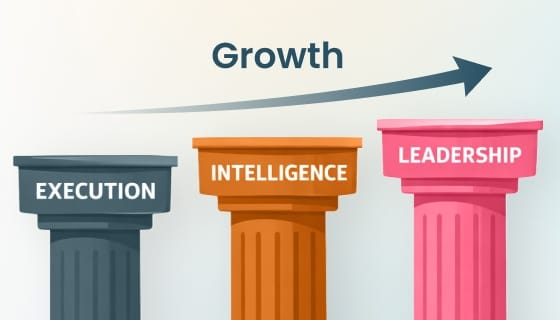
This is where partners such as ZealousWeb play a critical role, helping organizations design and implement integrated execution systems, intelligence systems, and automation-driven workflows that bring greater clarity, efficiency, and scalability to modern operations.

Turn Execution Effort into Predictable Outcomes

Explore the Next Step
Zealousweb

FAQs

Related Blog Posts

systematic operating model

Why AI and Talent Require a Systematic Operating Model to Scale

March 12, 2026
AI and TalentAI OperationsExecution SystemsOperating Model
growth operating system framework

The 3-System Growth Framework: From Tools to Systems Across Execution, Intelligence, and Leadership

March 03, 2026
Agency OperationsExecution SystemsGrowth FrameworkOperating System Design
AI in project management

Execution Systems Checklist for Scaling Teams Using AI and Automation

February 26, 2026
Agency OperationsAI and AutomationAI in Project ManagementScaling Teams
AI in scaling businesses

Why Does Outsourcing and AI Fail in Scaling Brands? 9 FAQs for Growing Teams

February 26, 2026
AI ImplementationAI in BusinessOutsourcing StrategyScaling Teams
execution debt

Execution Debt: The Hidden Reason Agencies Miss Deadlines

February 24, 2026
Agency OperationsAI in Project ManagementExecution DebtWorkflow Optimization
AI failure without systems

Why AI, Tools & Talent Still Fail Without Systems

February 20, 2026
AI and SystemsAI Implementation FailureExecution OSExecution Systems
AI, data & automation for businesses

Why Businesses Must Invest in AI, Data & Automation — and How to Implement It Correctly

February 04, 2026
AI AutomationAI ImplementationData SystemsWorkflow Automation
Automation in joint replacement practices

Using Automation to Address Patient Pain Points in Joint Replacement Practices

June 27, 2025
automated patient remindershealthcare automationHealthcare Digital MarketingPatient Engagement
Voice search and AI chatbots

The Future of Healthcare Marketing: Voice Search, AI Chatbots & Intelligent Automation

April 04, 2025
AI Chatbots in HealthcareDigital Transformation in HealthcareHealthcare MarketingVoice Search Optimization